Ride together. Stay connected.
The intercom for your riding group
Talk to every rider in your group, see them live on the map, and get help fast if something goes wrong. All from your phone and the helmet headset you already own.
The problem
Group rides break down at the worst moments
Wind, engines and distance make shouting impossible. Phone calls drop. Nobody knows who fell behind until it is too late.
Can’t hear each other
Helmet noise and spread-out riders make talking on the move nearly impossible.
Riders get lost
Someone misses a turn, and the whole group stops to call, text and wait.
No quick way to ask for help
A breakdown or fall means fumbling for contacts while riders ride on, unaware.
Hands are busy
Gloves, handlebars and traffic leave no room for small buttons or typing.
What Motoonz does
One app for the whole ride
Motoonz puts voice, location, safety and planning in one place, built for gloves, helmets and noise.
Group voice
Live intercom for everyone in your group, in Handsfree or Walkie-talkie mode.
Live tracking
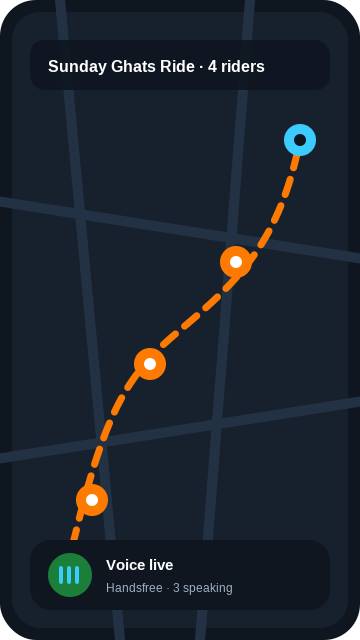
See every rider on the map, last-seen status and a convoy line showing gaps.
Emergency alerts
Alert your group, even on locked phones, and find the nearest help.
Ride plans
Plan routes with stops and share them with your group.
Voice bots
Add assistants to your room from the Bot Store, free or on a short plan.
Helmet friendly
Works with Bluetooth headsets and intercoms, with wind noise reduction.
Crewline
Pick riders to talk with as a smaller channel inside the big group.
Admin controls
Grant admin rights, set ride roles and remove riders from the group.
QR & link invites
Invite by link or QR code; riders join by scanning, pasting or typing a code.
Documents vault
Keep licence, RC, insurance, PUC, road tax and more on your phone.
Ride history
Plans with start, stops and route distance and time, kept under Your rides.
Your look
Light, dark or auto theme and adjustable text size.
Group control
Run the ride your way
Every group has an admin, and groups have a rider limit so rooms stay clear.
Create, invite, join
Start a group and share the invite link or QR code. Riders scan, paste the link or enter the group code. If the group is full they are told to ask the admin.
Admins & roles
Make other riders admins, give each rider a ride role, and see who is in the group at a glance.
Crewline channel
Mark chosen riders as crewline members to talk to just them, like the lead and sweep bikes.
Remove or leave
Admins can remove a rider (who is told why), riders can leave, and the admin can disband the group.
Headset button
A Bluetooth headset, helmet or push-to-talk button can talk even with the screen locked.
Bots for all or just you
Share a bot with the whole group or keep it to yourself, and check the plan time left.
Paperwork & planning
Everything you carry, in one place
Documents
Store photos of your Driving Licence, RC, Insurance, PUC, Road Tax, Medical, Service Records, Travel Documents and others, with limits per category.
Ride plans
Set a start, add stops, and see the route with its distance and time. Open a plan to start it, or delete it from your history.
Saved places
Search places on the map and see your recent ones.
In-app notifications
Group updates and alerts in one list, plus a test to confirm alerts reach your phone.
Voice
Talk like you’re riding side by side
Pick the style that suits you in Settings → Mode.
- Handsfree: the mic listens and the group hears you when you speak.
- Walkie-talkie: hold the button to talk, release to listen.
- Noise reduction filters wind and engine noise.
- Voice boost makes other riders louder in traffic.
- Music lowers while riders talk, if you want it to.
- Auto, Low and High quality to match your data.
Tracking
Nobody gets left behind
A shared live map keeps the whole group in view.
- Every rider appears as a pin with a live position.
- Convoy line joins riders in order; amber marks gaps over 500 m.
- “Last seen” shows when a rider is offline or has no GPS.
- Satellite view, and an optional call button for riders who allow it.
- Location is only shared while you are in the group.
Safety
Help is one tap away
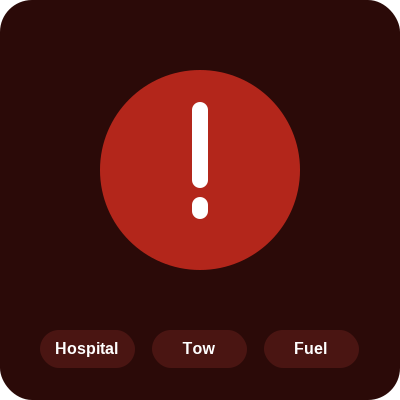
Alert your group and find the closest help without touching your phone for long.
- Alert goes to every rider in your group, even with locked phones.
- Find the nearest hospital, tyre repair, tow service, fuel or battery service.
- Call road assistance or an emergency contact after a confirmation.
- Save emergency contacts and medical details, and choose what to share.
- Send a test alert to check it reaches your phone.
Bots & plans
Add a voice assistant to your room
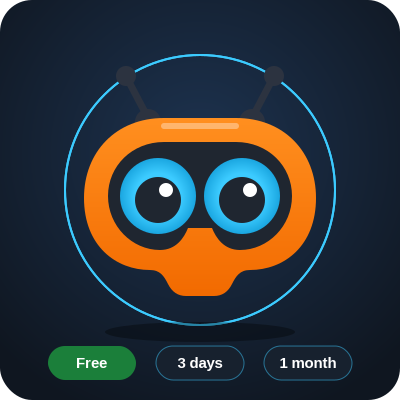
Browse the Bot Store, activate free bots, or buy a short plan for paid ones.
- Bots join your voice room and respond to a wake word.
- Plans of 1 day, 3 days or 1 month, one-time purchases.
- Your plan stays with you if you deactivate a bot.
- Restore purchases on a new phone.
How it works
On the road in four steps
No account passwords. Sign in with your phone number.
Sign up
Verify your phone number with a one-time code and add your name and photo.
Create or join
Start a group, or join with a link or group code.
Allow permissions
Mic, location, background and Bluetooth, explained in plain words.
Ride
Talk, track and stay safe. Free monthly minutes renew each month.
Pricing
Free minutes every month
Free voice time counts down only while you are connected, and renews monthly. Need more, or want bots? Passes are one-time purchases, not subscriptions.
Monthly voice minutes and free bots
For a single ride
For a weekend trip
For regular riders
Prices are shown in the app at purchase.
Privacy & control
Your data, your call
Location only in a group
Used while the app is in use, shared only with your riders.
Phone number stays private
Shared with the group only if you switch on “Let my group call me”.
Secure sign-in
Encrypted token storage and rate-limited login.
Delete any time
Delete your account from Settings.
FAQ
Common questions
What do I need to start?
A smartphone, a phone number and, ideally, a Bluetooth helmet headset. The phone speaker and mic work too.
Do all riders need the app?
Yes, every rider joins your group in Motoonz using the invite link or group code.
Does it work with the screen locked?
Yes. Background mode keeps the intercom running and lets alerts reach you.
Which platforms?
Android first, with iOS to follow. Store links will appear here at launch.
Need help?
Use Help & Feedback in the app to read answers or contact support.
Ready for your next ride?
Download Motoonz and bring your whole group onto one channel.
Store listings coming soon.